01
Search companies
Search by company name, registration number or VAT number. Select the country, compare matches and open the right legal entity.
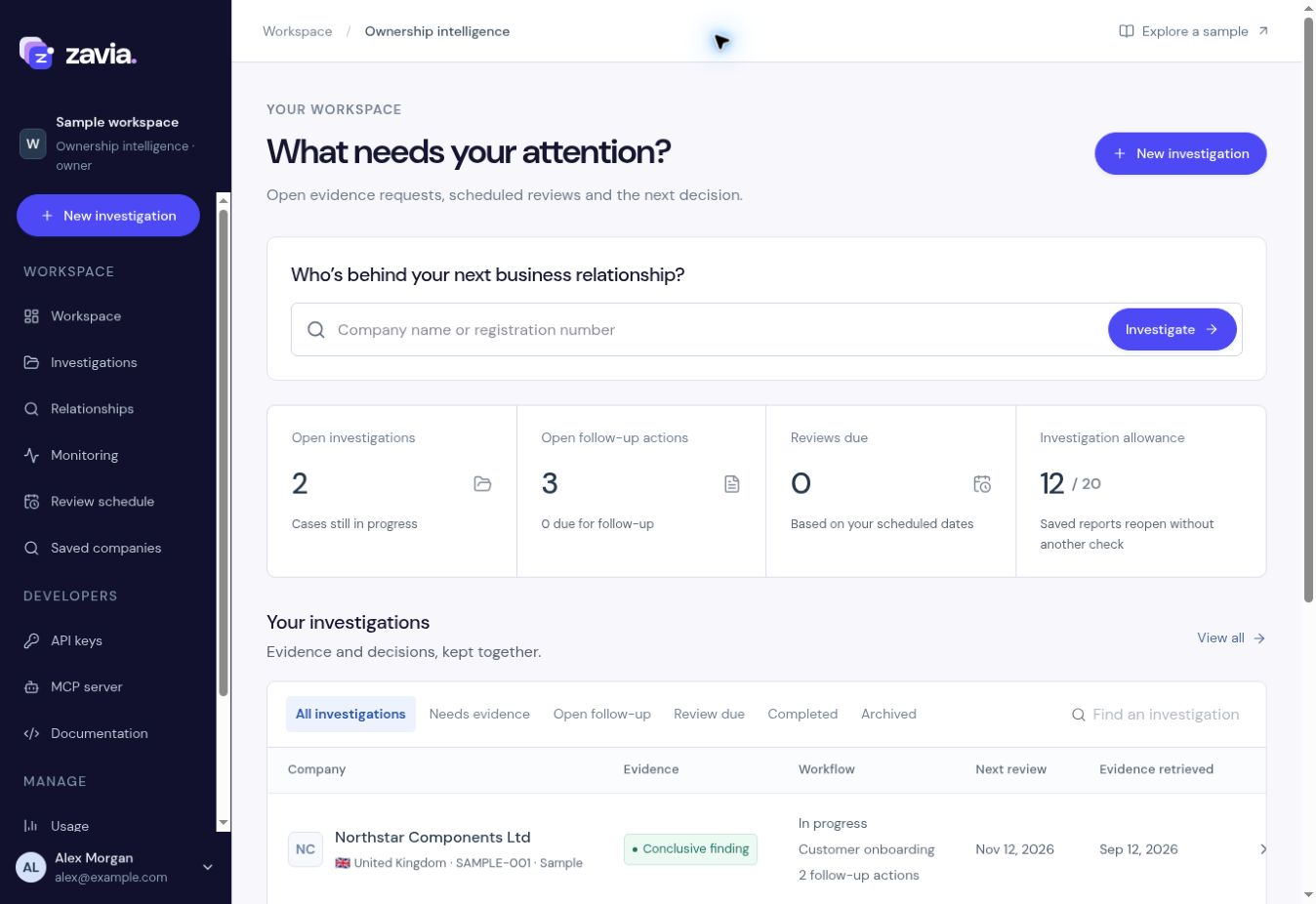
Your online dashboard for company searches, ownership reports and team reviews. Find the company, follow its owners, save the evidence and share the result.
 View full size
Everything below happens in your dashboard.
Search by company name, registration number or VAT number. Select the country, compare matches and open the right legal entity.
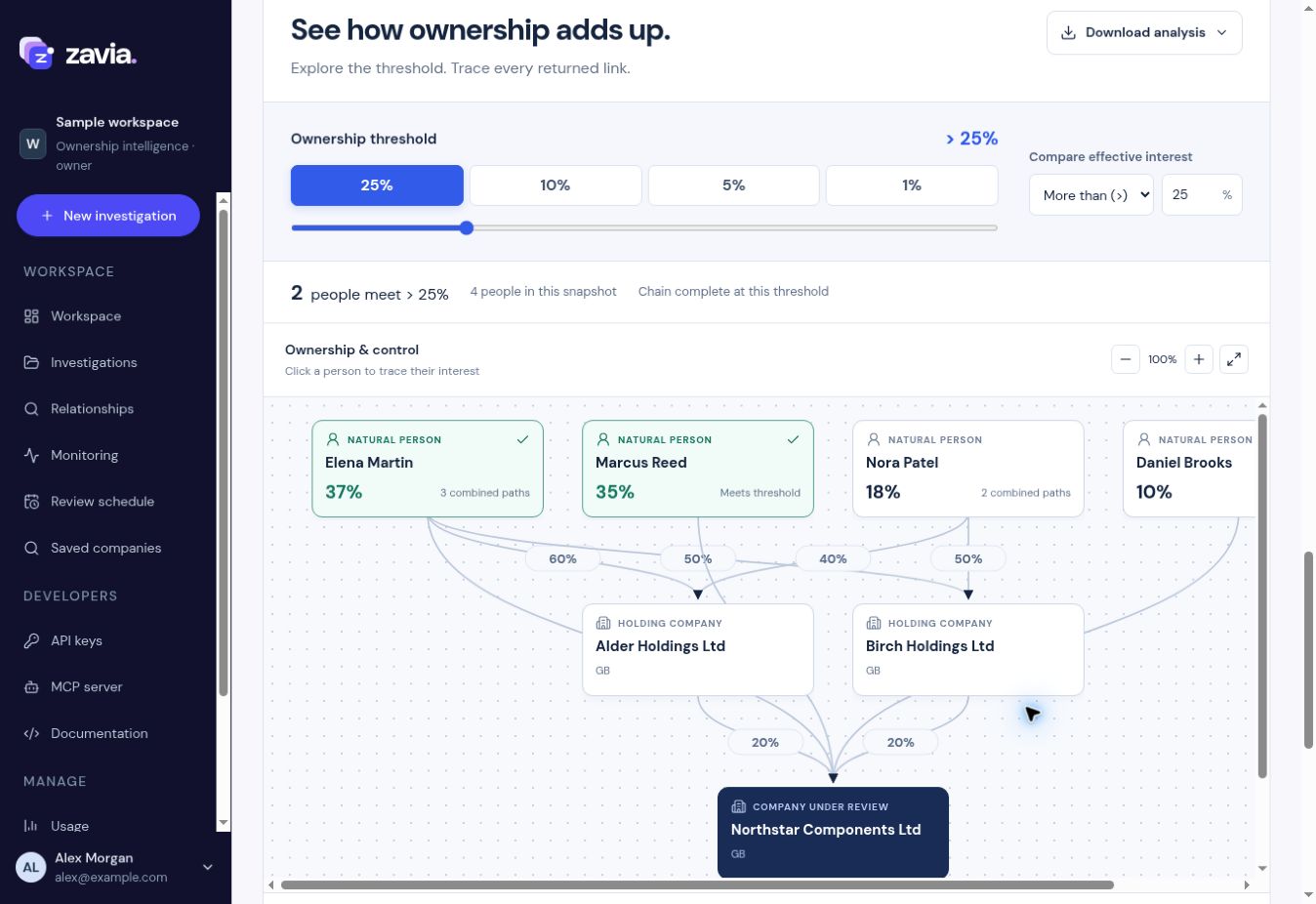
Inspect direct shareholders, follow corporate owners and see the people behind them. Open the ownership map to examine each connection.
Save a report and its evidence snapshot. Find it again in Saved companies or Investigations and reopen it without another check.
Download a PDF report for review, a CSV for your spreadsheet or JSON for another system. Share the exported file with your colleagues.
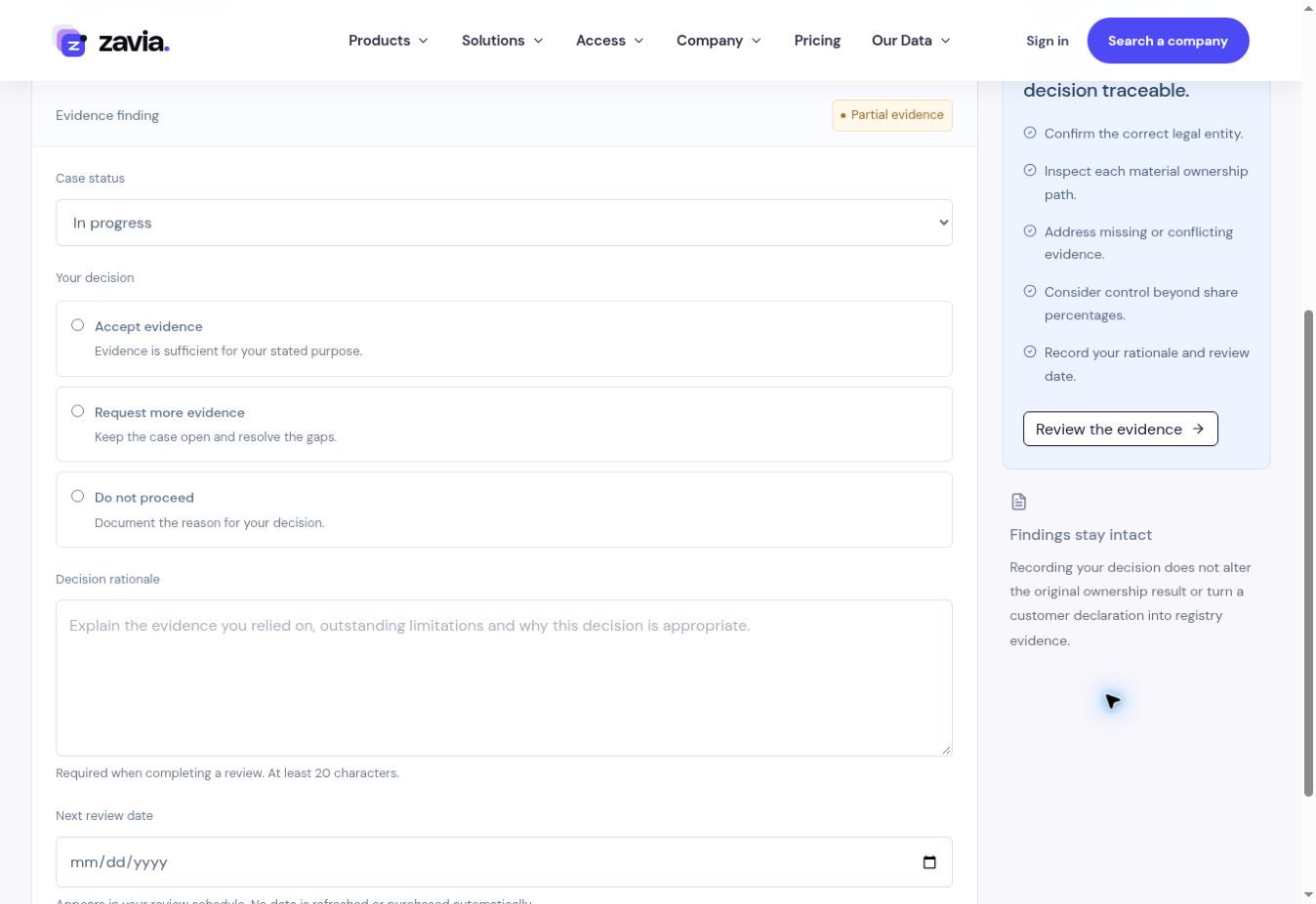
Add notes and supporting documents, create follow-up actions, record your decision and set the next review date.
Add companies to monitoring, inspect changes and keep the alerts alongside your saved investigations.
Move between the ownership map, shareholders, group structure and source records inside the same investigation.
 View full size
See direct and indirect ownership and the percentages along each path.
Review source records and add documents supplied by your customer or team.
Record your assessment, rationale and next review date alongside the report.
Inspect the source ledger, keep supporting documents and leave notes for the next person reviewing the company.
 View full size
Mark a case ready for review, record a decision and rationale, and schedule when to look at it again.
 View full size
Use the report’s Download menu to choose the format your next step needs.
Try the sample reportFor colleagues, case files and review meetings.
For sorting, filtering and your own analysis.
For your internal tools and systems.
Invite colleagues to a shared workspace so they can work with the same investigations, evidence and decisions.
Enter their email, choose a role and share the invitation link.
Analysts add documents, notes and follow-up actions to the case.
Reviewers assess the case and keep their rationale in its history.
Choose who investigates, who reviews and who manages access.
Manage billing, API keys and member access, as well as casework.
Run investigations, add evidence and manage follow-up work.
Inspect the same cases and record review decisions.
Create your account, run a free company preview and explore the dashboard. Choose a paid report when you need full ownership evidence and exports.